 Sweeply
Your Mac is hoarding
gigabytes of junk.
Take them back.
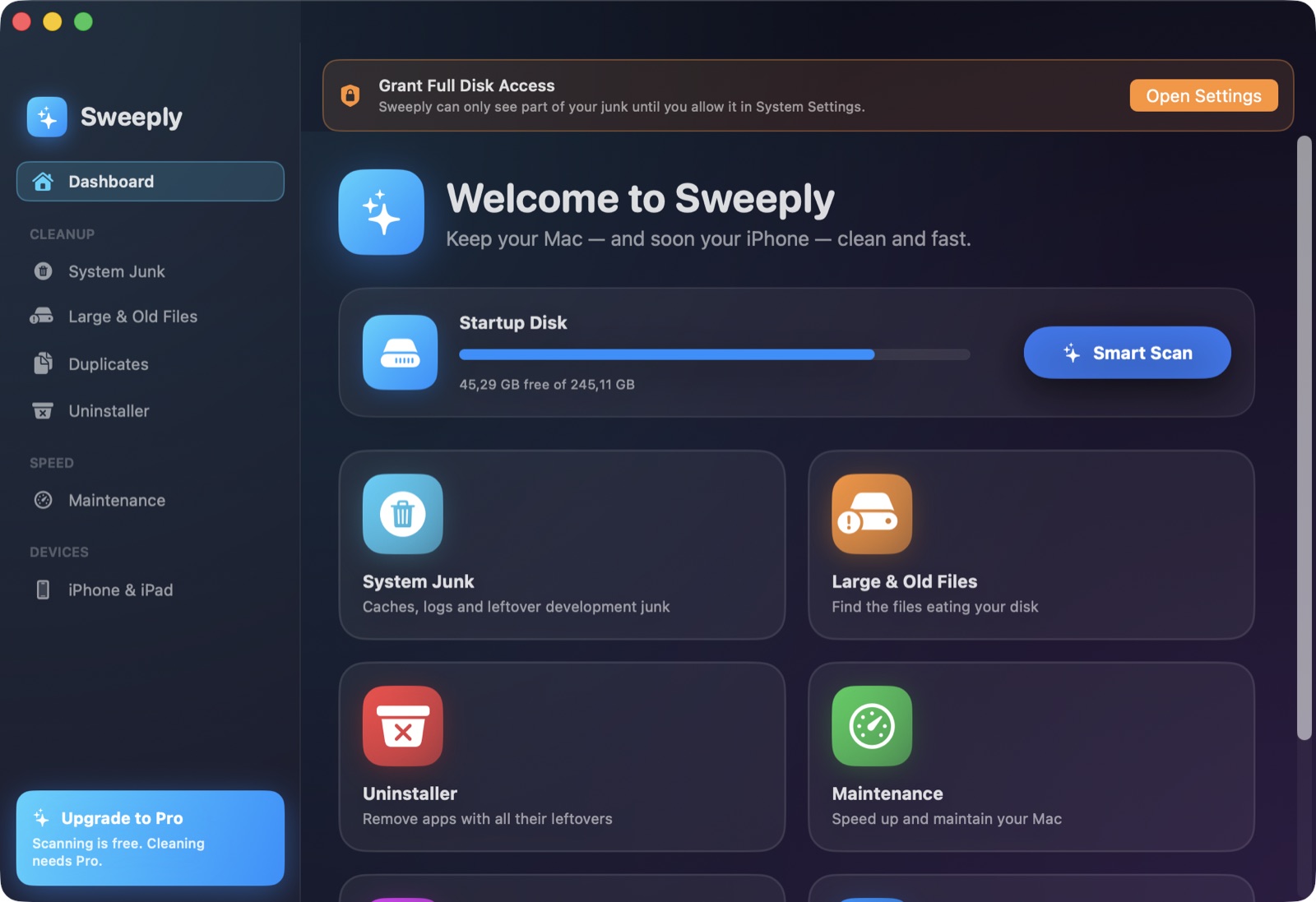
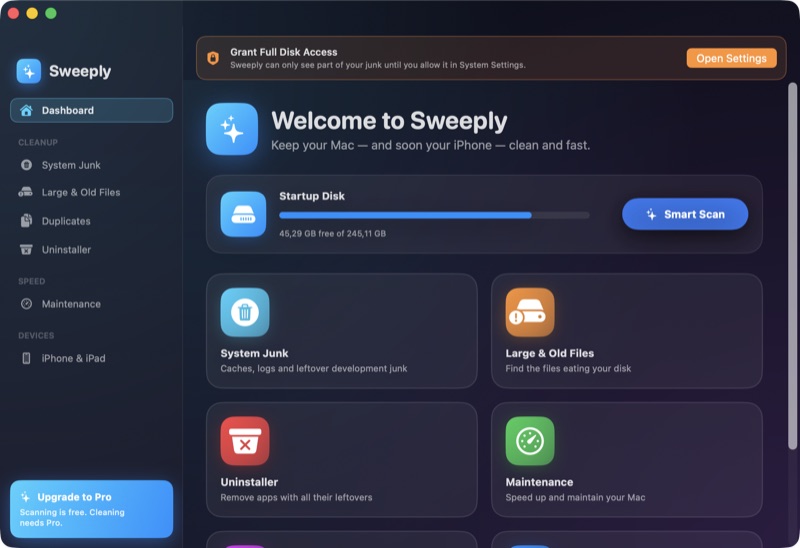
Sweeply scans your Mac and lists every cache, log, Xcode leftover and forgotten iOS backup it finds — with real paths and real sizes. You pick what goes. Everything lands in the Trash first, so nothing is ever lost by accident.
macOS 14+ · completely free, no account · signed & notarized · open source
- Your files — untouched
- User caches 14.3 GB
- Xcode leftovers 5.9 GB
- iOS backups from 2023 8.2 GB
- System Data 3.3 GB
What it cleans
Six cleaners, real paths, no mystery
Every result row shows the actual file path and size before you decide. If Sweeply can't explain where a gigabyte lives, it doesn't touch it.
System Junk
App caches, logs and temporary files that rebuild themselves. ~/Library/Caches · ~/Library/Logs
2–20 GB typicalSystem Data
The invisible bulk behind the “System Data” wedge in macOS storage settings. /Library/Caches · /private/var/folders
1–10 GB typicalDeveloper leftovers
DerivedData, module caches and device-support files Xcode never cleans up. ~/Library/Developer/Xcode/DerivedData · iOS DeviceSupport
5–40 GB for devsLarge & old files
Every file over 100 MB in your home folder, ranked by size, nothing pre-selected. ~/Downloads · ~/Documents · ~/Desktop
you decideDuplicates
Byte-identical copies confirmed by SHA-256 — the oldest copy is kept automatically. Project folders like node_modules are skipped entirely.
content-verifiedUninstaller
Removes an app together with its preferences, caches and containers — the leftovers other uninstalls forget. ~/Library/Application Support · Containers
full removaliPhone & iPad
Plug in your iPhone.
Sweep it too.
Connect with a cable, tap Trust, and Sweeply works on the device directly — no cloud, no companion app.
Why you can trust it
Built for a category full of scareware
Mac “cleaners” have a deserved reputation problem. Sweeply's answer is to show its work.
Trash first, delete never (unless you say so)
Cleanups move files to the Trash. Changed your mind? Put them back. Permanent deletion is a setting you have to switch on yourself.
Nothing is pre-selected that could hurt
Caches of running apps, macOS system caches, temporary files of live processes — listed with an orange shield, never auto-checked.
Free scan, free clean, decide with full information
Every scan shows every file with its full path and size, and cleaning is free too — no subscription, no account, no trial limits.
Read the code before you trust it with your disk
Sweeply is MIT-licensed and developed in the open. You can check exactly what it deletes, what it never touches, and that nothing is uploaded — github.com/0x61A/sweeply.
FAQ
Fair questions
Is Sweeply safe to use?
Yes. Cleaning moves files to the Trash by default, so every cleanup is reversible. Caches of running apps and macOS system caches are listed but never pre-selected, and nothing is ever removed without your selection.
What exactly does Sweeply clean?
User caches and logs, developer leftovers like Xcode DerivedData and iOS DeviceSupport, System Data in /Library and /private/var/folders, duplicate files, large and old files, app leftovers after uninstalling, old iTunes/Finder iOS backups, and crash logs on a connected iPhone or iPad.
Is Sweeply really free?
Yes. Scanning and cleaning are both free, with no subscription, account, or trial limits.
Is Sweeply open source?
Yes — MIT-licensed, with the full source at github.com/0x61A/sweeply. For a tool that deletes files, that matters: you can check exactly what it removes, what it deliberately never touches, and that your file names never leave your Mac.
How does Sweeply clean an iPhone or iPad?
Connect the device with a cable and tap Trust. Sweeply can then remove crash reports and diagnostic logs, browse and export or delete camera-roll photos and videos, and find old device backups stored on your Mac. iOS doesn't allow apps to reach into other apps' private caches — anyone claiming otherwise is overselling.
See what your Mac is hiding.
Sweeply is free.
macOS 14 Sonoma or later · Apple Silicon & Intel